
Two metrics widget
Show two metrics in one chart, each on its own axis, from a tile of its own.
← Changelog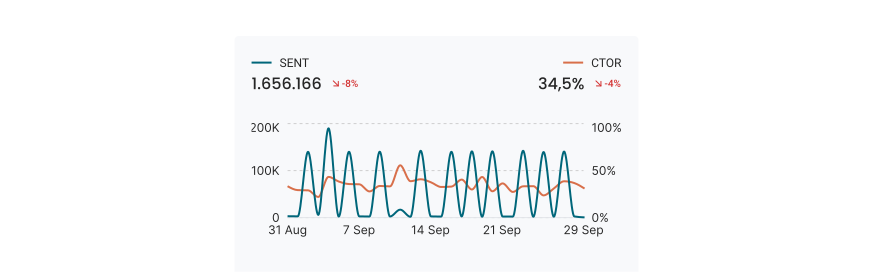 Previously · 2 October 2026Donut widget
The new Two metrics widget shows two metrics over time in one chart, each with its own axis and number format.
A tile in the KPI category
In the widget gallery, the KPI category has a fourth tile: Two metrics. A new widget starts with Sent and Revenue. Select other metrics in the Primary metric and Secondary metric fields.
Two-metric Graph widgets are now Two metrics widgets
Each Graph widget that showed two metrics is now a Two metrics widget, with the same metrics, colours and position on the dashboard. The Graph widget shows one metric again.
The Two metrics widget has no Group by. To split a metric into groups, use a Graph widget.
The Two metrics widget is available to everyone. Two metrics widget tells you when to use it and how to set it up.