
A second metric on the Graph widget
Show two metrics in one Graph widget, each on its own axis, and compare how they change.
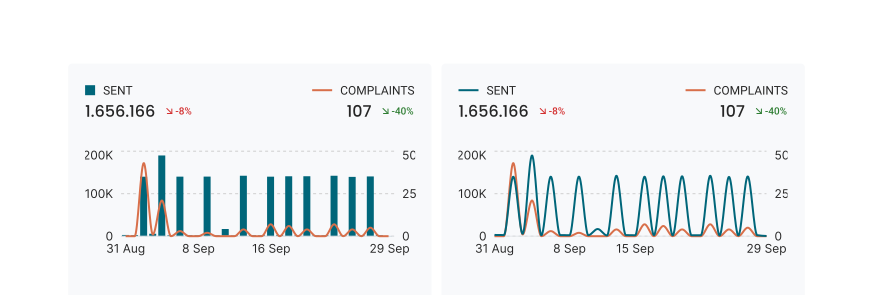
The Graph widget can now show two metrics, each with its own axis and number format. So you see sent volume and complaints in one graph. The Card and Tab widgets do not change.
Primary and secondary metric
In the settings of a Graph widget, select a Primary metric for the left axis and a Secondary metric for the right axis. On a bar graph, the secondary metric shows as a line over the bars. Each metric has its own colour: select one, or let Automatic select a colour that is easy to tell apart.
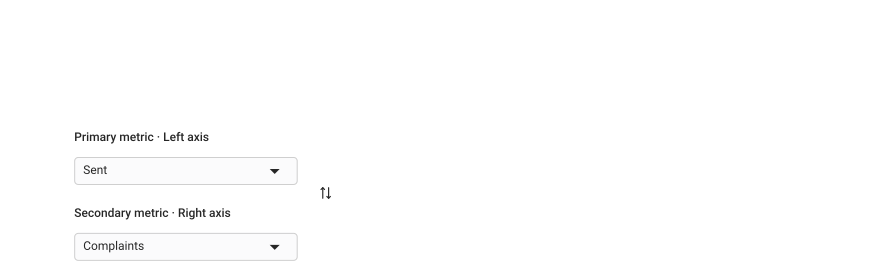
With two metrics, you cannot use Group by, and the graph does not show the comparison period as a line.
Two metrics on the Graph widget are available to everyone.
KPI widget tells you how to set it up.
Fixes
- Dashboards: Kept the colour of a graph when you change between lines and bars, or between time and categories.
- Dashboards: Ignored a saved filter that no longer applies in a table widget, so the table loads.
Integrations
- Klaviyo: Added the UTM source, medium, campaign, term and content of each email and SMS click, so you can split clicks by them.